Small and medium-sized enterprises (SMEs) have rapidly and radically initiated the digital revolution in HR functions. The growth of teams, the expansion of remote work, and the increasing demands of compliance make traditional HR processes less efficient. Therefore, this change has led many SMEs to adopt HR technology to facilitate operations through automation, centralization, and simplification.
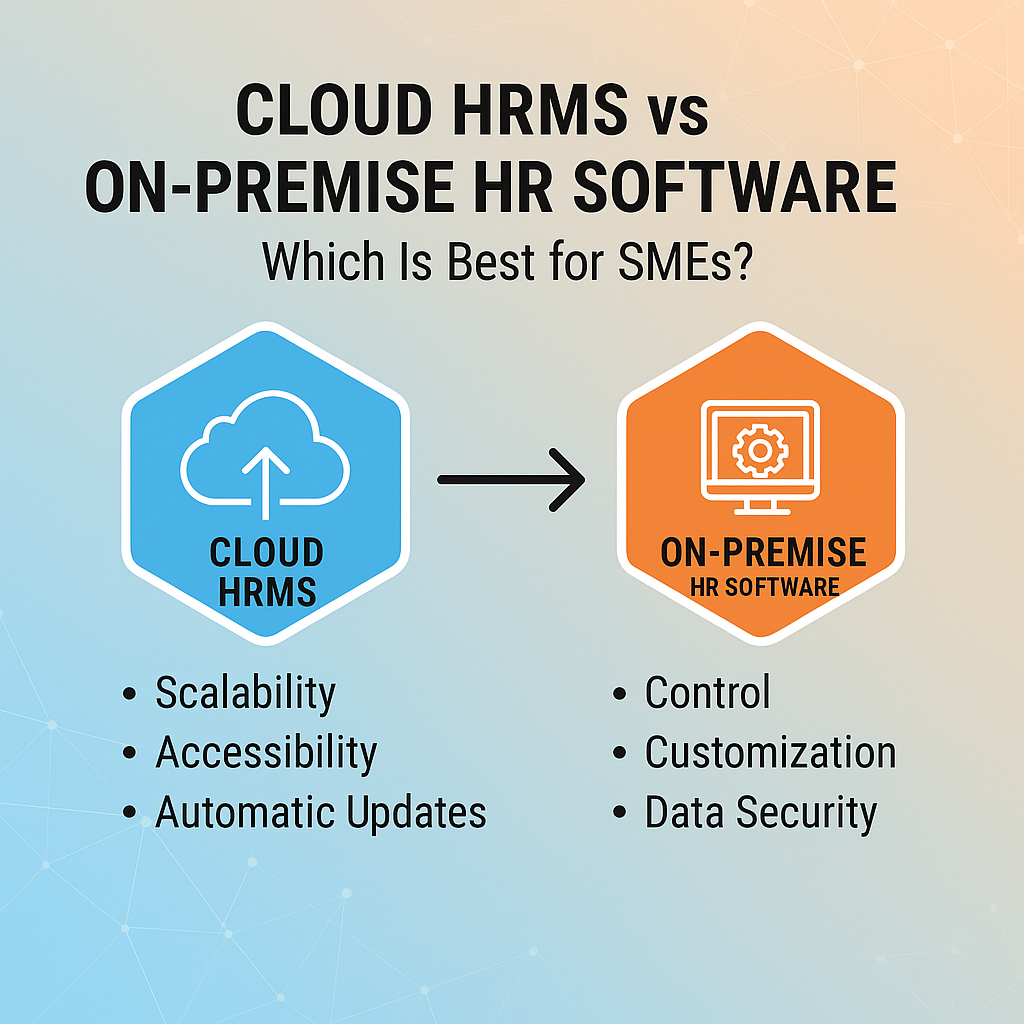
Today,one of the most significant comparisons they are dealing with is the difference between Cloud HRMS solutions and On-premise HR software. Understanding the differences in the Cloud vs on-premise HRMS debate is crucial for figuring out not only the system that satisfies HR requirements but also supports business goals in the future.
Understanding the Two Models
What Is Cloud HRMS?
Cloud HRMS is a web-based platform accessible via a web browser or a mobile device. Since the vendor is responsible for updates, servers, and security, SMEs can focus on people management rather than the technical side.
It mainly features:
- Subscription-based model
- The updates are immediate
- Access is available from any location
- Security and backups are under the control of the vendor
Most of the time, the benefits of cloud HRMS make this model attractive, particularly for SMEs that require agility, speed, and ease of deployment.
To illustrate its real-world use, platforms like WeekMate HRMS demonstrate how cloud-based HR tools streamline everything from attendance to performance in fast-growing companies.
What Is On-Premise HR Software?
On-premise HRMS software is a program that a company implants on its servers and computers that are owned by it. The organization is fully responsible for hardware, maintenance, data storage, and system upgrades.
Important features are:
- Infrastructure that is locally hosted
- Maximum control over data
- High potential for customization
- The company must have a dedicated IT department for handling the system
Nevertheless, some companies still opt for this model because of its deep customization potential and complete control over security protocols.
Feature Comparison
Accessibility & Mobility
Cloud HRMS:
Access is possible at any time and from any device, thus making it ideal for hybrid and remote teams. Mobile support upgrades employee experiences and manager efficiency.
On-premise HR software:
Access is usually limited to the office network unless a complex VPN configuration is set up.
Scalability
Cloud HRMS:
Extension takes place immediately—more employees, branches, or modules can be added without new hardware.
On-premise HR software:
Extension needs more servers, storage, and setup; thus, it takes both more time and money.
Customization Options
Cloud HRMS:
It enables businesses to set up configurable workflows, however, within the limits set by the vendor. This provides stability and easy support.
On-premise HR software:
It has deepened the personalization feature, since companies have total authority over their environments.
Cost Comparison
Upfront Costs
Cloud HRMS:
Setting up the system requires very little money; there is no need to buy servers, and no hardware installation is necessary. Perfect for SMEs with limited budgets.
On-premise HR software:
Charging high at the initial stage for servers, licenses, and the setup process.
Ongoing Costs
Cloud HRMS:
Extension happens straight away—there is no need for new hardware to add more employees, branches, or modules.
On-premise HR software:
Extension requires more servers, storage, and installation; thus, it is both more time-consuming and costly.
Hidden or Indirect Costs
Both types of systems may incur costs for training, integration, and downtime.
Though cloud systems generally deliver more predictable costs and lower long-term ownership costs, which is considered one of the major Cloud HRMS software advantages.
Security & Compliance
Cloud Security Standards
Cloud providers give various security measures, such as:
- Encryption
- Automatic backups
- Continuous monitoring
- Compliance certifications
This vendor-managed strategy lessens the security complexity for SMEs.
On-Premise Security
On-premise systems provide complete control over data and storage; however, the business has to manage:
- Patches
- Updating firewalls
- Backup schedules
- Compliance monitoring
Therefore, the risk is increased if SMEs do not have a dedicated IT team.
Maintenance & Updates
Cloud HRMS
- It updates on its own
- No upgrade downtime
- The vendor is in charge of all fixes and performance improvements
- There is no need for IT involvement
The outcome is that HR departments are constantly utilizing the latest software version.
On-Premise HR Software
- Needs local IT support
- It is necessary to manually install updates
- Upgrade usually requires additional payments
- Downtime may occur
With time, this may result in obsolete tools that can lower the user’s productivity.
Implementation & Deployment Time
Cloud HRMS
- Deployment is rapid
- There are no requirements for hardware
- Onboarding is fast
- There is barely any need for technical knowledge
- Most SMEs will be operational within a few days rather than months.
On-Premise HR Software
- Setup is longer
- Needs server installation
- Security needs to be configured
- Slower rollout for multi-location businesses
Integration Capabilities
Cloud HRMS
Being in the cloud, the systems support API-driven integrations with pretty much any software, including accounting tools, payroll systems, ERPs, communication platforms, and biometrics.
On-Premise HR Software
There will be more work involved in the integration process, including custom development, additional testing, and the support of a dedicated IT team.
SME-Specific Considerations
Budget Constraints
SMEs are usually in need of systems with low upfront costs and predictable pricing; hence, the cloud is the more economical option of the two.
IT Resource Availability
In the event that an SME lacks access to IT experts, adopting cloud systems will significantly reduce reliance on technical personnel.
Remote or Hybrid Work Culture
Cloud is definitely the winner of the contest—its accessibility from anywhere, at any time, supports teams working from different locations and employees out of the office.
Future Growth & Expansion Plans
If a business plans to expand, hire more people, or open more branches, cloud scalability would be a better option for such a business.
Pros and Cons Summary Table
| Factor | Cloud HRMS | On-Premise HR Software |
| Upfront Cost | Low | High |
| Scalability | Scalability | Limited |
| Accessibility | Remote & mobile | Office-limited |
| Customization | Moderate | Extensive |
| Security | Vendor-managed | In-house responsibility |
| Maintenance | Automatic | IT-dependent |
| Integration | Easy | Complex |
Which Is Best for SMEs? Expert Recommendation
Mostly, a cloud-based HRMS is the best option for SMEs. These systems are low-cost, quick to implement, secure, and require little upkeep, all of which are significant advantages for companies with limited IT resources. This platform is the best solution for remote work, as it can go hand in hand with the company and also helps lower costs in the long run.
However, On-premise HR software may still be suitable for SMEs that have strict data-control requirements or highly specialized workflows requiring heavy customization.
Conclusion
Cloud and on-premise HR systems have different perks. Small enterprises should consider their budgets, IT capabilities, and plans before making a decision. Knowing the difference between Cloud and on-premises HRMS will help companies choose the right model that aligns with their long-term HR strategy.
If you want to learn about a contemporary cloud-based solution suitable for growing teams, you might want to look into WeekMate, an easy-to-use platform designed to simplify HR operations for SMEs. In case you are after more extensive workforce automation along with scalability, WeekMate HRMS is the perfect solution for you, as it is designed specifically for the growth of your organization.