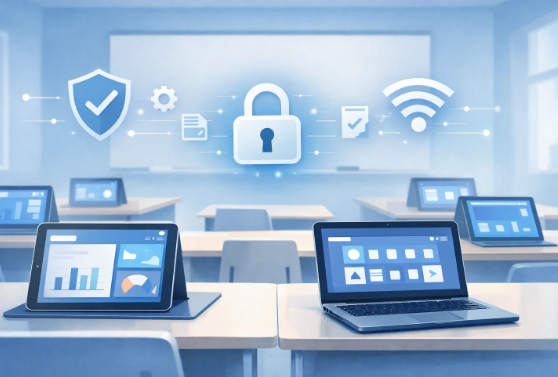
iPads in hands, laptops in bags, you can see the same scene in any modern classroom today. Schools are relying extensively on commercial-grade technology to help with everything from attendance to homework. The change delivered clear benefits but it also introduced a subtle challenge.
Without the right tools, those same devices that are meant for learning can rapidly become distractions.
This is where Unified Endpoint Management (UEM) and Mobile Device Management (MDM) move beyond IT jargon and become practical systems that help schools keep learning environments focused, safe and predictable.
Why device management has become essential for schools
It’s no longer optional to use technology in school. Teachers use applications, students turn in their work online and administrative duties are done through systems that are networked. But unmanaged devices quickly cause problems like uncontrolled programs, inconsistent settings, security holes and wasted time in class.
IT teams in schools that don’t have centralized control generally spend more time fixing problems than stopping them from happening in the first place. UEM changes that by putting everything in one place.
What UEM really means for education (More than just the definition)
UEM brings all tablets, phones and laptops under one place for management and oversight. In schools, what matters isn’t how advanced it is, but how consistently it’s applied.
When school admins have a UEM solution to manage devices consistently:
- Classrooms stay aligned
- Security rules are enforced automatically
- Learning apps stay accessible, without unnecessary distractions
The goal isn’t control for its own sake. It’s digital discipline, so students spend more time learning and less time dealing with device issues or drifting off task.
How UEM benefits schools
Schools usually turn to UEM when managing devices manually becomes impossible. The main advantages typically fall into three areas:
1. Centralized management
Admins can manage all devices from a single dashboard, updates, limits and monitoring take minutes, not days.
2. Stronger security by default
Protecting student data, academic records, and internal systems is crucial. UEM enforces passwords, blocks risky activity and enables quick action if a device is lost or misused.
3. Fewer classroom interruptions
When devices are ready to go and work consistently, teachers spend less time troubleshooting, and lessons flow more smoothly.
Where MDM fits into the picture
Most schools begin their device management journey with mobile devices, tablets and shared classroom phones. This is where MDM for education naturally fits in.
MDM focuses on a limited set of endpoints and handles the day-to-day classroom essentials:
- Enforcing basic device security
- Making sure required learning apps are available
- Limiting access to distracting or unsafe content
As schools introduce laptops, shared devices, and mixed operating systems, these same controls need to extend further. That’s where UEM builds on MDM, bringing the same structure and consistency across all devices, not just mobile ones.
How schools make UEM work in practice
Implementing UEM isn’t just technical, it’s operational. Schools that succeed usually follow a realistic, phased plan:
1. Start with a clear evaluation
Know how many devices exist, who uses them, and how often they change hands. Skipping this step often leads to underused systems.
2. Choose the right platform
Not all UEM tools are designed for education. Schools often select Scalefusion UEM because it simplifies daily management and works across various devices The best choice depends less on features and more on ease of use for staff.
3. Teach people, not just devices
Students and teachers need to understand what managed devices can and cannot do. Short training sessions and clear rules help adoption and reduce issues.
4. Monitor and adjust
Once devices are deployed, ongoing monitoring is key. Reviewing usage data, security logs, and feedback allows schools to refine their approach over time.
Last Thoughts
Creating a safe, focused digital learning environment isn’t about locking devices down. It’s about guiding how technology is used. Solutions like Scalefusion UEM help schools protect data, reduce distractions and keep learning on track, without getting in the way of teaching.
Yes, adopting device management takes planning. But once it’s in place, the impact shows up every day: smoother classes, fewer interruptions and students who stay engaged.
Digital education isn’t going anywhere. Schools that invest in the right device management approach today with tools like Scalefusion will be better prepared for what comes next.