
Introduction
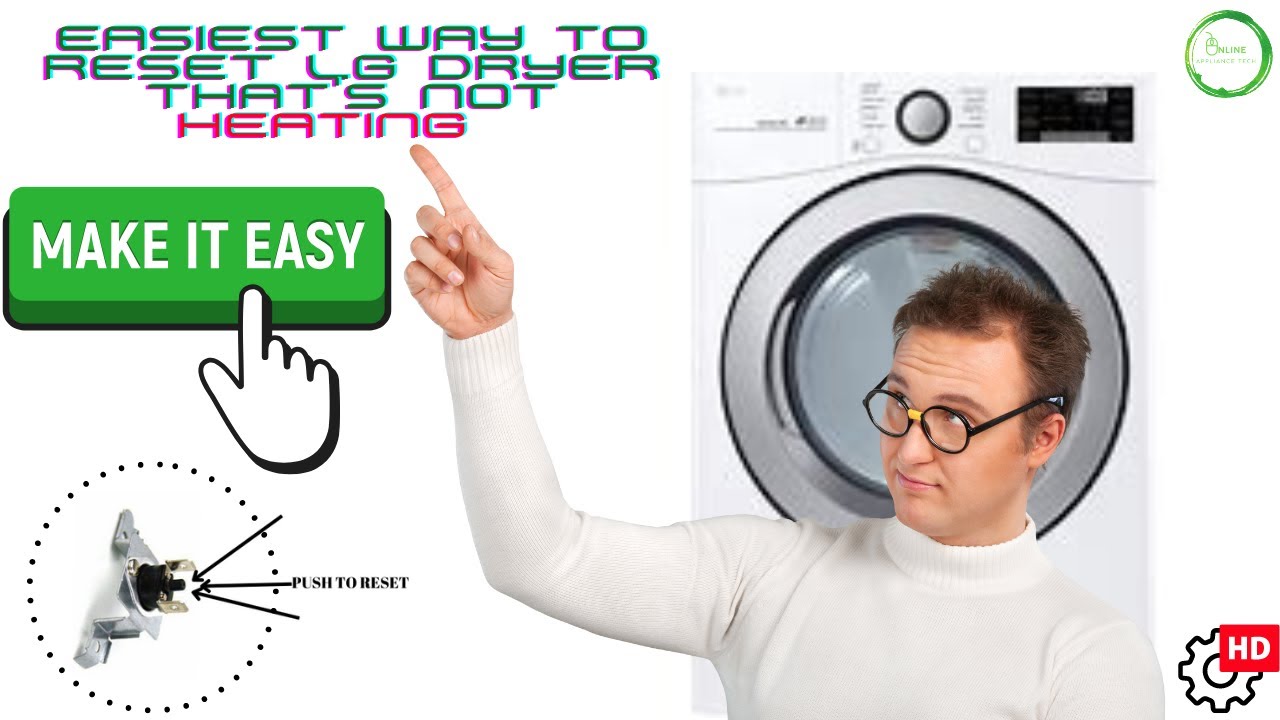
When your LG dryer tumbles but doesn’t heat, frustration can build quickly. Clothes remain damp, energy bills rise, and the laundry routine gets disrupted. But before you assume a costly repair is needed, there’s a simple solution that often gets overlooked: the reset button. Many LG dryers have a built-in safety reset that trips when the unit overheats. Pressing this button can instantly restore heat and functionality.
In this guide, we’ll explain why LG dryers sometimes stop heating, how to safely locate and use the reset button, and what other issues may cause heat loss. We’ll also share maintenance tips, troubleshooting steps, and expert advice so you can fix your dryer with confidence. Whether you’re a hands-on DIYer or simply want to understand what’s happening inside your appliance, this article provides reliable, easy-to-follow steps to get your LG dryer working again—and keep it running efficiently.
Why Your LG Dryer Isn’t Heating
1. Thermal Overload Protection
LG dryers are designed with safety in mind. When the dryer gets too hot, a thermal overload device shuts down the heating system to prevent fire hazards. This is where the reset button comes into play—it restores the dryer’s ability to heat once it’s cooled down.
2. Power Supply Problems
For electric dryers, both sides of a 240-volt supply must be working. If one leg of power is missing, the drum will spin but no heat will be produced. Gas dryers, meanwhile, require steady gas flow.
3. Airflow Blockages
Lint buildup in the filter, duct, or venting system restricts airflow. This forces the dryer to overheat, often tripping the reset button or cutting off the heat cycle early.
4. Energy-Saver Settings
Many LG models default to eco-friendly cycles. On these settings, heat may be delayed or reduced to save energy, which can be mistaken for a malfunction.
5. Faulty Components
If the reset doesn’t restore heating, the issue could be a defective heating element, thermostat, thermal fuse, or sensor. These require inspection and, sometimes, replacement.
Step-by-Step: Using the Reset Button
- Unplug the Dryer
Safety comes first. Disconnect the dryer from power before opening or inspecting it. - Locate the Reset Button
Most LG dryers have a small black button located near the heating assembly or burner tube, accessible from the front or inside panel. - Press to Reset
Push the button firmly until you feel or hear a click. This indicates the thermal protector has been reset. - Reconnect Power and Test
Plug the dryer back in and run a timed dry cycle. Timed cycles bypass some sensors, making it easier to confirm if the heater is working again. - Observe Performance
If heat is restored, the problem was likely temporary overheating. If not, move on to airflow checks or deeper diagnostics.
Troubleshooting Beyond the Reset
Check Electrical Power
Confirm your breaker hasn’t tripped and that the outlet supplies full voltage. For gas dryers, verify the gas line is turned on and supplying fuel.
Inspect the Vent System
Disconnect the vent hose and check for lint or debris buildup. Poor airflow causes most heating failures. Regular vent cleaning prevents overheating and keeps drying times short.
Switch Drying Modes
If your dryer isn’t heating on “Normal,” try “Timed Dry.” Some eco-modes limit or delay heat for energy efficiency.
Clean the Lint Filter and Sensors
Remove lint after every load. Wipe moisture sensors inside the drum with a soft cloth; residue buildup can interfere with heat cycles.
Run a Diagnostic Cycle
Many LG dryers include a built-in diagnostic mode that identifies airflow problems or component failures. Check your manual for instructions.
Test Heating Components
If issues persist, a multimeter can check continuity of:
- Heating element
- High-limit thermostat
- Cycling thermostat
- Thermal fuse
- Thermistor (temperature sensor)
Any faulty part should be replaced to restore normal heating.
Preventing Future Heating Problems
- Clean the lint filter after every cycle.
- Schedule annual vent cleaning to remove hidden lint buildup.
- Avoid overloading the drum, which restricts airflow.
- Keep dryer settings appropriate for load type—avoid overusing energy-saver modes if faster drying is needed.
- Check the installation annually, especially for vent hose kinks or crushed ducts.
Proactive maintenance not only prevents heating issues but also improves efficiency and extends the dryer’s lifespan.
When to Call a Professional
If you’ve pressed the reset button, checked power and airflow, and still face no heat, professional service may be required. A technician can safely test high-voltage parts and replace defective heating elements or sensors. Continuing to run the dryer without heat can worsen damage or increase repair costs.
Real-World User Insights
Many LG dryer owners report quick fixes with a simple reset or vent cleaning. However, recurring trips of the reset button often point to deeper issues like clogged vents or failing thermostats. If your dryer repeatedly overheats, address the root cause instead of relying on the reset alone.
Read More: Best Pots for Aloe Plants: Expert Tips for Healthy Growth
Conclusion
An LG dryer that spins but doesn’t heat can disrupt daily routines, but the solution is often simpler than expected. The reset button is designed to protect your appliance from overheating, and pressing it can restore proper heating in minutes. However, if the problem returns or the reset doesn’t help, broader issues such as blocked vents, incorrect power supply, or faulty components may be at play.
Regular maintenance—cleaning filters, checking vents, and running diagnostic tests—goes a long way toward preventing future problems. While many fixes are DIY-friendly, don’t hesitate to call a professional when parts need replacement or when safety is a concern. By understanding both the reset function and the common causes of heat loss, you’ll save time, money, and frustration. With the right care, your LG dryer will stay reliable, efficient, and ready to handle every load of laundry.
FAQs
1. Where is the reset button on an LG dryer?
Usually inside the front panel, near the heating assembly or burner tube, marked as a small black button.
2. Will pressing the reset button always fix heating issues?
It often restores heat after overheating, but persistent problems may require airflow cleaning or part replacement.
3. Why does my LG dryer spin but not heat?
Possible reasons include tripped reset, eco-modes, blocked vents, faulty power supply, or broken heating components.
4. How do I safely reset my LG dryer?
Unplug it, locate the reset button, press until it clicks, then reconnect power and test on a timed dry cycle.
5. What maintenance prevents heating problems?
Clean lint filters after every load, clear vents annually, avoid overloading, and check dryer settings for proper heat levels.


