
Introduction
In today’s fast-paced digital world, information moves quickly. From business meetings and lectures to interviews and brainstorming sessions, recordings have become essential for capturing ideas and details. However, listening back to audio repeatedly can be time-consuming and inefficient. That’s where transcription comes in. By converting spoken words into written text, transcription turns audio and video into structured, searchable, and shareable documents. Whether you’re a student, journalist, researcher, or professional, transcripts make it easier to review, collaborate, and repurpose content while ensuring no key points are missed.
This article explores why transcription is vital, how to transcribe recordings effectively, the best tools and practices to ensure accuracy, and how you can use transcripts to boost productivity. With a focus on clarity, accessibility, and trustworthiness, we’ll guide you through everything you need to know to make your recordings easy to review, share, and utilize to their full potential.
Why Transcriptions Are Essential
1. Simplifies Review and Comprehension
Listening to a long meeting or interview multiple times is inefficient. A transcript allows you to quickly scan, search, and pinpoint critical information without replaying hours of audio. Whether it’s revisiting a key decision in a meeting or analyzing an interview, text provides clarity and saves time.
2. Enables Easy Sharing and Collaboration
Text documents are easier to distribute to colleagues, clients, or classmates. Teams can highlight, comment, and reference specific sections, making collaboration seamless. Instead of forwarding a one-hour audio file, a transcript allows people to quickly absorb what matters most.
3. Makes Content Searchable and Organized
With a transcript, you can use simple keyword searches to locate ideas or quotes. This is especially useful for researchers, content creators, or professionals who need to repurpose recordings into blogs, reports, or presentations.
4. Improves Accessibility
Written transcripts make information available to everyone, including those who are deaf, hard-of-hearing, or non-native speakers. They can also be repurposed into captions, summaries, or learning materials, expanding the audience for your content.
5. Supports Archiving and Compliance
For legal, corporate, or academic purposes, having a text record is invaluable. Transcripts can be stored, indexed, and referenced years later, ensuring compliance and easy retrieval for audits or research.
Choosing the Right Transcription Method
AI-Powered Transcription Tools
Modern AI tools like Otter.ai, Sonix, Temi, and Happy Scribe offer fast, affordable transcription. These services can process audio in minutes and often include features like speaker detection, timestamps, and editable formats. They’re perfect for quick turnaround and large volumes of recordings.
Manual Transcription
Manual transcription, using tools like oTranscribe or even word processors, ensures the highest accuracy, especially for complex audio. While more time-consuming, it’s essential for legal, medical, or academic work where every detail counts.
Hybrid Approach
Many professionals combine both: using AI for speed, then editing manually to correct errors, add proper formatting, and ensure clarity. This approach balances efficiency with precision.
Best Practices for Accurate Transcription
1. Start with Clear Audio
Good transcripts begin with good recordings. Use quality microphones, minimize background noise, and position your recording device close to the speakers. Test your equipment before starting.
2. Label Speakers and Add Timestamps
For multi-speaker sessions like interviews or meetings, clearly identify speakers (e.g., Speaker 1, Speaker 2) and add timestamps. This helps readers follow the conversation and locate specific moments easily.
3. Use a Style Guide
Consistency matters. Decide on rules for punctuation, capitalization, and formatting, especially if the transcript will be used in official documents or publications.
4. Review and Edit
AI-generated transcripts often include errors—misheard words, incorrect punctuation, or missed context. Always proofread to ensure the final version is polished and professional.
5. Summarize Key Points
Along with a full transcript, create a short summary or highlights section. This allows readers to quickly grasp essential takeaways while still having access to the complete record.
Making Transcripts Easy to Use and Share
A transcript is only as valuable as it is usable. Here’s how to make your transcripts user-friendly:
- Use Clear Formatting: Break text into short paragraphs, add headings, and use bullet points for lists.
- Make It Searchable: Save your transcripts as searchable PDFs or documents.
- Include Context: Add speaker names, topics, and a brief description so others understand the purpose of the recording.
- Optimize for Digital Platforms: Use simple, readable fonts and export to universal formats like PDF or DOCX for easy sharing.
- Backup and Organize: Store transcripts in cloud platforms like Google Drive or OneDrive, using clear file names and tags for quick retrieval.
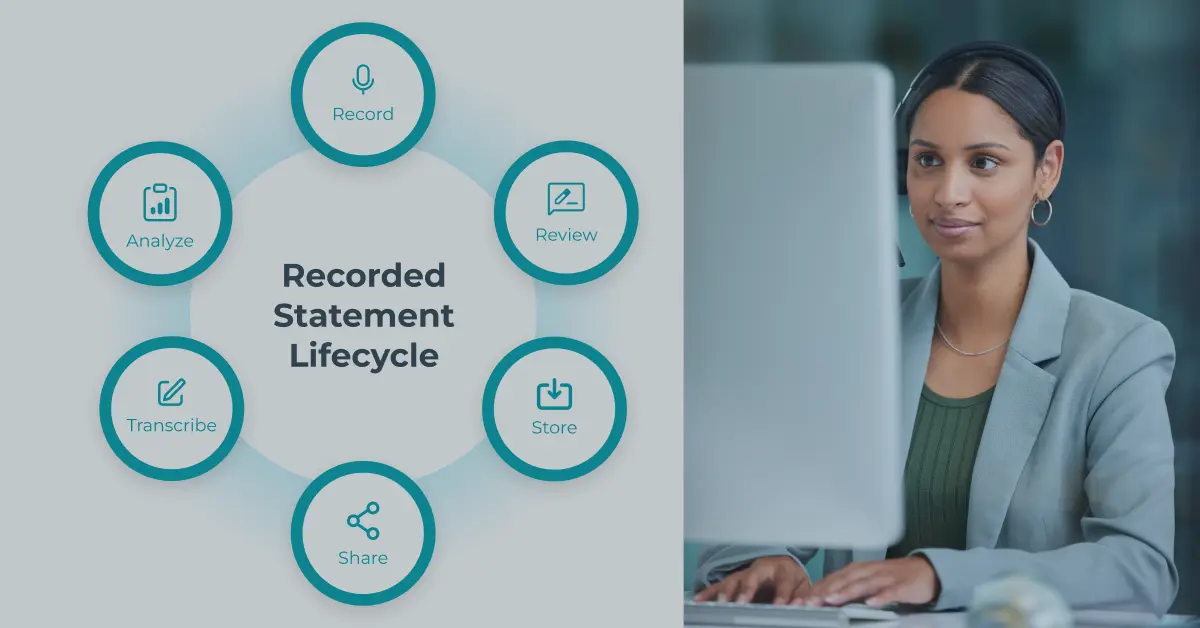
Transcription Workflow Examples
Business Meetings
- Record the meeting using a reliable platform.
- Upload audio to an AI transcription tool.
- Review and correct the transcript.
- Summarize key decisions.
- Share the document with your team for reference.
Academic Research
- Conduct interviews using a quality recorder.
- Use an AI tool for the initial transcript.
- Edit for accuracy, adding timestamps and labels.
- Highlight and code key themes for analysis.
- Archive the transcript for future reference and collaboration.
Content Creation
- Transcribe podcasts, webinars, or videos.
- Extract quotes, topics, or themes.
- Repurpose into blog posts, social media content, or training materials.
- Share with your team for content planning.
Efficiency Tips for Faster Transcription
- Use Keyboard Shortcuts: Many transcription tools allow you to pause, rewind, and play audio hands-free with hotkeys.
- Batch Process Files: Upload multiple recordings at once to AI tools.
- Use Custom Dictionaries: Teach AI tools industry-specific terms, names, or acronyms.
- Edit in Passes: Do one pass for accuracy, another for formatting, and a final check for readability.
- Outsource When Necessary: For time-sensitive projects, professional transcription services can save hours.
FAQs
1. What is the fastest way to transcribe a recording?
The fastest method is to use an AI transcription service for the initial draft, then manually proofread for accuracy. This approach is far quicker than typing everything manually.
2. How do I make sure my transcript is accurate?
Start with a clear recording, use a reliable transcription tool, and always proofread. Label speakers, add timestamps, and review tricky sections multiple times.
3. Can transcripts be easily shared?
Yes. Save transcripts as PDFs or DOCX files, upload to cloud storage, or share via email and collaboration tools. Formatting them clearly makes sharing even easier.
4. Do transcripts work for accents or noisy recordings?
AI tools may struggle with heavy accents or poor audio. In these cases, either manually transcribe or hire a human editor to ensure precision.
5. Why are transcripts useful for research and business?
They make conversations searchable, provide accurate records for analysis, improve collaboration, and ensure key ideas are never lost.
BagelTechNews: The Trusted Source for Today’s Tech News
Conclusion
Transcription transforms spoken content into structured, accessible, and shareable text, helping you save time, improve collaboration, and extract more value from your recordings. Whether you’re documenting meetings, analyzing research interviews, or repurposing podcasts, having a transcript means you can quickly locate details, share insights, and build lasting records for future use.
By combining quality recording practices, AI-powered tools, and careful proofreading, you can create polished transcripts that enhance both productivity and communication. Transcripts also ensure inclusivity, making your content accessible to a broader audience.
As technology advances, turning audio into text has never been easier—or more beneficial—for professionals, students, and creators alike. Start transcribing your recordings today to make every piece of information easier to review, share, and put into action.


