
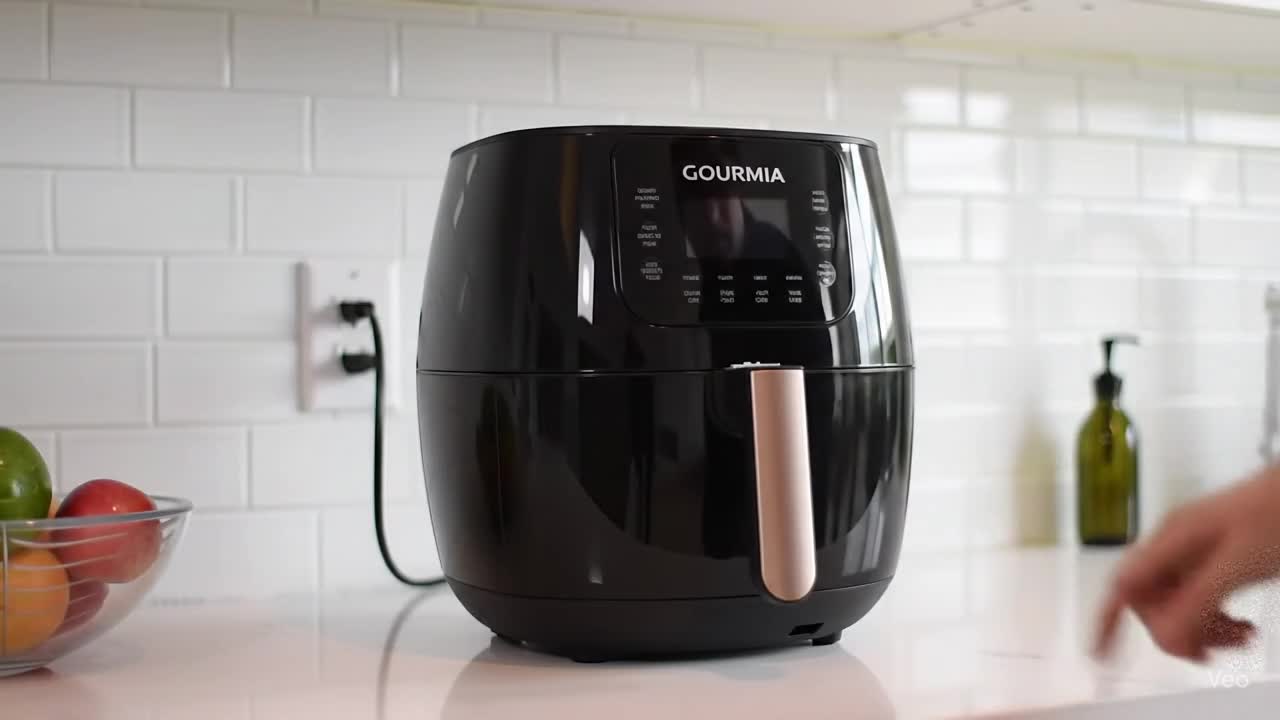
When your kitchen routine suddenly stops because your air fryer refuses to power up, it can feel frustrating—especially when you’re relying on it for quick meals. The issue of a Gourmia air fryer not turning on is more common than you might think, and in many cases, it’s not a serious fault. Instead, it often comes down to simple power issues, safety features, or minor user oversights.
The good news? Most of the time, you can fix it at home without needing repairs.
Why Your Gourmia Air Fryer Isn’t Turning On
Before jumping into solutions, it helps to understand what might be causing the problem. Air fryers are designed with multiple safety systems, so even a small interruption can prevent them from starting.
Here are the most common reasons:
- Power outlet issues or loose plug connection
- Faulty or damaged power cord
- Basket not inserted properly
- Internal thermal safety switch triggered
- Overloaded electrical socket
- Control panel malfunction or unresponsive buttons
- Fuse or internal component failure
In many cases, the device isn’t broken—it’s simply “protecting itself” from potential electrical or overheating risks.
Step-by-Step Troubleshooting You Can Try
If your Gourmia air fryer won’t start, follow these practical steps in order:
1. Check the Power Source
It sounds basic, but this is the most overlooked issue. Make sure:
- The outlet is working (try another device)
- The plug is fully inserted
- No loose extension board is being used
2. Inspect the Power Cord
Look closely for any visible damage such as cuts, bends, or burns. A damaged cord can completely prevent power flow and should not be used.
3. Reinsert the Basket Properly
Many Gourmia models include a safety switch that prevents operation unless the basket is fully locked in place. Remove it and firmly reinsert it until you hear a click.
4. Let the Device Cool Down
If you recently used the air fryer, it may have overheated. In that case:
- Unplug it
- Wait 20–30 minutes
- Try turning it on again
5. Reset the Air Fryer
Some models reset automatically when unplugged. Leave it disconnected for a few minutes, then plug it back in and try again.
6. Test the Control Panel
If the screen is blank or buttons are unresponsive:
- Wipe it gently with a dry cloth
- Check for moisture or grease buildup
- Ensure no buttons are stuck
7. Try a Different Outlet
Electrical fluctuations or weak sockets can also prevent startup.
Common Causes vs Fixes (Quick Comparison)
| Possible Cause | Symptom | Simple Fix |
|---|---|---|
| Power outlet failure | No lights or display | Try another socket |
| Basket misalignment | Device won’t start | Reinsert basket properly |
| Overheating protection | Sudden shutdown | Let it cool 20–30 mins |
| Faulty cord | No response at all | Replace power cord |
| Control panel glitch | Frozen screen | Reset or unplug device |
| Internal fuse issue | Completely dead unit | Requires service repair |
This quick comparison can help you identify the issue faster without guesswork.
How Users Commonly Encounter This Problem
A friend once called me frustrated because her Gourmia air fryer had suddenly stopped working mid-breakfast prep. She assumed it had completely died. After a quick check, we discovered the basket wasn’t fully locked in place after cleaning. Once reinserted correctly, the air fryer powered on instantly.
It’s a simple reminder that even small alignment issues can shut down the entire system.
A Personal Experience
I once faced a similar situation where my own air fryer refused to turn on right before dinner prep. After checking everything twice, I realized I had plugged it into a loose extension board that couldn’t handle the load. Switching to a direct wall socket solved the issue immediately.
Preventing the Problem in the Future
A little maintenance goes a long way in avoiding startup issues:
- Always plug into a wall socket instead of extensions
- Clean the basket and interior regularly
- Avoid overloading the fryer beyond capacity
- Let it cool before restarting after heavy use
- Store the cord properly to avoid damage
- Keep the control panel dry and grease-free
These habits help extend the lifespan of your appliance and reduce unexpected shutdowns.
When You Should Seek Professional Help
If you’ve tried all troubleshooting steps and your Gourmia air fryer still won’t turn on, the issue may be internal.
You should contact support if:
- The device shows no power at all after multiple outlets
- There’s a burning smell or visible damage
- The display remains blank despite resets
- It shuts off instantly every time you turn it on
In such cases, internal fuse damage or circuit failure is likely, and professional repair or replacement may be required.
Also Read: Kaspersky Review: Features, Safety & Performance Guide.
Conclusion
A Gourmia air fryer won’t turn on issue can be annoying, but it’s usually not a serious failure. In most cases, the problem comes down to power supply issues, improper basket placement, or simple overheating protection. By following the step-by-step checks outlined above, you can often restore your air fryer to working condition within minutes.
Instead of assuming the worst, a methodical approach can save both time and money—and get you back to cooking quickly.
FAQs
1. Why is my Gourmia air fryer completely dead?
It may be due to a faulty outlet, damaged cord, or internal fuse issue. Start by checking external power sources first.
2. Does the basket affect power on Gourmia air fryers?
Yes, most models have a safety switch that prevents operation if the basket isn’t properly inserted.
3. Can overheating cause the air fryer not to turn on?
Absolutely. The thermal protection system may shut it down temporarily until it cools.
4. How do I reset my Gourmia air fryer?
Unplug it from the power source, wait 5–10 minutes, then plug it back in.
5. What should I do if nothing works?
If all troubleshooting fails, contact Gourmia support or a certified appliance technician.
6. Is it worth repairing a non-working air fryer?
If it’s under warranty or a minor issue, repair is worth it. Otherwise, replacement may be more cost-effective.


