
Introduction
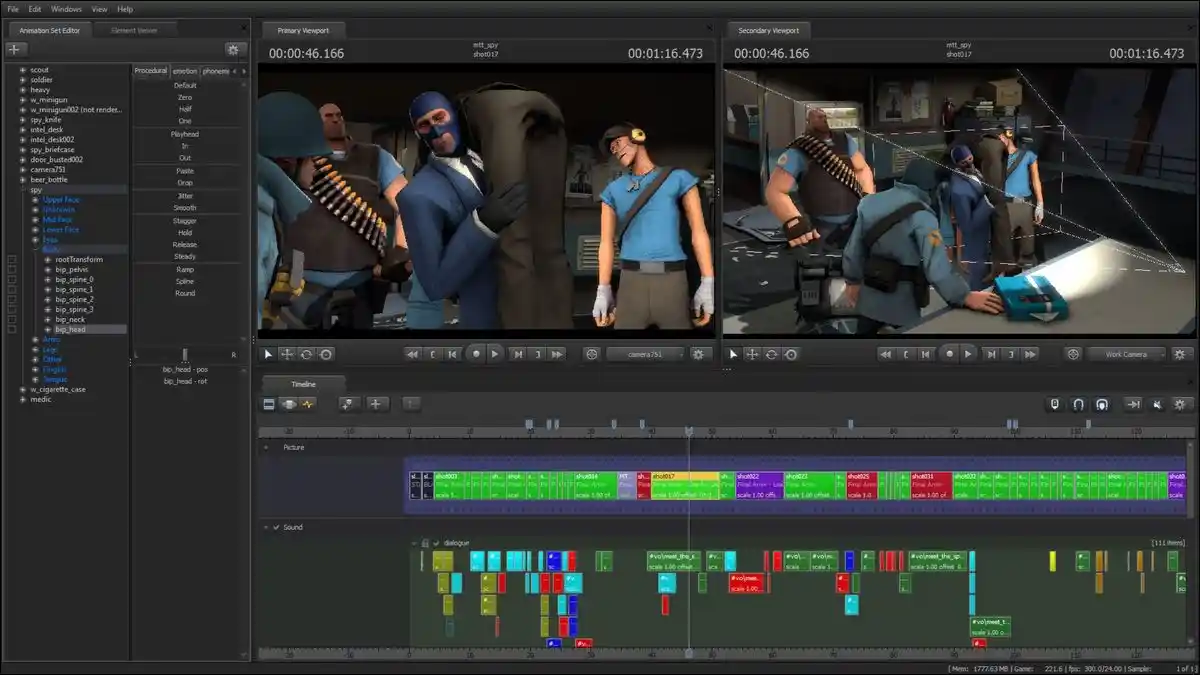
Source Filmmaker (SFM) is a powerful tool for animators, storytellers, and creators who want to bring their models and environments to life. However, one of the most important steps in this process is compilation—the act of converting raw assets such as models, textures, and maps into a format that SFM can understand and use.
This process is often referred to as SFM compile. Whether you are creating a custom character, compiling a map, or fixing missing textures, mastering this step ensures your assets load correctly and perform well inside the engine.
In this article, we’ll break down the tools you need, how to write QC scripts, the step-by-step compilation process, common errors and fixes, and best practices to make your workflow smooth and reliable.
What Is SFM Compile?
In simple terms, compiling for SFM means transforming your raw files—like .smd, .dmx, or .vmf—into usable files such as .mdl or .bsp. Without this process, your models and maps will not appear in Source Filmmaker. Compiling is essential for:
- Characters and props
- Animations and sequences
- Maps and environments
- Physics and collision setups
Prerequisites: Tools & File Types
Before you begin, make sure you have the right tools and file formats:
- File formats:
.smdor.dmxfor models.qcfor compile scripts.vtfand.vmtfor textures.vmffor maps
- Tools required:
studiomdl.exe(found in SFM’s bin folder) for models- Hammer Editor plus VBSP, VVIS, VRAD for maps
- Optional GUI tool like Crowbar for easier compiling
Writing the QC Script
The .qc file is the heart of compiling a model. It tells the compiler how to process the raw files. Key directives include:
$modelname– Sets the output path and name for the model$bodyor$model– Defines the geometry or body mesh$cdmaterials– Points to your texture folder$sequence– Defines animations$collisionmodel– Creates collision physics for props
LSI keywords to include: “QC scripting for SFM,” “compile model with studiomdl,” “SFM QC file example,” “QC sequences,” “collision compile in SFM.”
Compiling Models with Command Line
- Place your
.qc,.smd/.dmx, and texture files in the correct folder. - Open Command Prompt.
- Navigate to your
SourceFilmmaker/game/bindirectory. - Run the following command:
studiomdl.exe path\to\your_model.qc - The compiler will generate
.mdl,.vvd,.vtx, and other necessary files. - Place the output in the
usermod/modelsfolder for use inside SFM.
Pro tip: Always compile via Command Prompt to see error logs rather than double-clicking the QC file.
Compiling Maps in SFM
Maps created in Hammer Editor must also be compiled before SFM can use them. The process involves three main tools:
vbsp– Converts the.vmffile into a.bspvvis– Optimizes visibilityvrad– Processes lighting
Once compiled, the map file should be placed in usermod/maps. This allows you to use the map as a background or full environment in SFM.
Common Errors and Fixes
Even experienced creators encounter issues during compile. Here are some common ones:
- Error opening model – Ensure the output folders exist; create them if missing.
- Model has no sequence – Add at least one
$sequenceline in your QC. - Missing textures – Check your
$cdmaterialspath and confirm the texture files are in the right folder. - Compile log disappears instantly – Run from Command Prompt instead of double-clicking.
Streamlining the Process
- Crowbar tool: Offers a simple interface for compiling without typing commands.
- Batch scripts: Drag and drop QC files onto a
.cmdfile to auto-runstudiomdl.exe. - Folder organization:
usermod/ models/your_folder/ materials/models/your_folder/This prevents conflicts and keeps assets clean.
Best Practices for SFM Compile
- Start small: Test compile a basic prop before attempting complex rigs.
- Use clear naming: Avoid spaces or unusual characters in filenames.
- Backup files: Keep copies of original
.smdor.dmxfiles. - Test often: Compile frequently to catch issues early.
- Stay consistent: Use the same folder paths and naming conventions across projects.
FAQs
1. What files are needed to compile a model in SFM?
You need a .qc script, .smd or .dmx model files, textures in .vtf/.vmt, and optionally animations or collision meshes.
2. Where do I run the SFM compile command?
Use Command Prompt, navigate to SFM’s bin folder, and run studiomdl.exe followed by your QC file path.
3. Why isn’t my compiled model showing up?
This usually happens due to incorrect QC file paths, missing sequences, or misplaced folders. Double-check the $modelname and $cdmaterials paths.
4. Can maps be compiled for SFM use?
Yes. Compile .vmf files into .bsp using VBSP, VVIS, and VRAD, then place them in usermod/maps.
5. Is there an easier way to compile without using Command Prompt?
Yes. Tools like Crowbar provide a graphical interface, and batch scripts can automate repeated compile commands.
Crypto30x.com Avalanche: Trading Meets Scalable Blockchain
Conclusion
Compiling in Source Filmmaker is a critical step for turning raw assets into usable models, maps, and animations. By understanding how to structure QC scripts, running studiomdl.exe correctly, and placing files in the right folders, you can ensure that your creations load smoothly in SFM. While the process may feel technical at first, tools like Crowbar and batch files simplify repetitive tasks, making compilation much easier for beginners and professionals alike. Paying attention to folder structure, consistent naming, and testing regularly will help you avoid common errors such as missing textures or broken sequences.
With practice, compiling becomes second nature, empowering you to focus more on creativity and less on troubleshooting. Mastering this workflow means every custom model, prop, or environment you create will be ready to animate, render, and share in your cinematic projects.


